Built for the Iron

Your Steel.Field-Readyin Minutes.

Upload your model files and give your field crew instant access to every piece mark, bolt spec, and location — on their phone, no login required.

$249
Per Project
3 Files
IFC · KSS · NC1
90 Days
Live Access
Voice Lookup
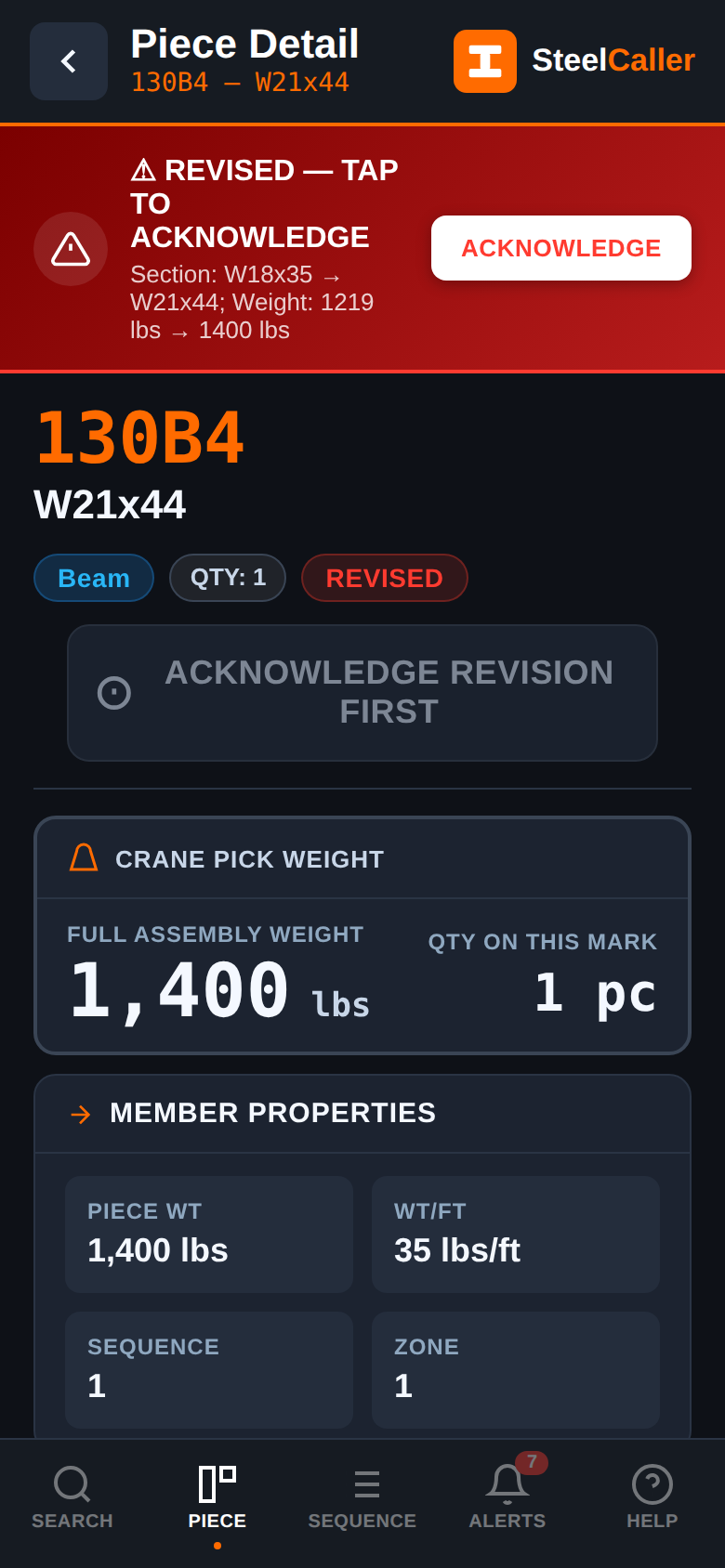
⚠ REVISED
✓ Complete
SteelCaller
5665
Parkway Support
⚠ REVISED — REV 2 · Section changed W16→W18
52B1
W18 × 40 · A992 · Beam · Seq 3
Crane Pick Weight
2,232 lbs
El.
33'-06"
← Left End
6
3/4"×1-3/4" A325N
Right End →
4
3/4"×1-3/4" A325N
✓ Mark Complete — Set & Bolted
See It In Action

Watch How It Works

From file upload to field crew ready — see the full SteelCaller workflow in under two minutes.

▶ STEELCALLER OVERVIEW
1:45
52B1
⚠ REVISED
🎤 "Call 52B1"
✓ Complete
🎤Voice Lookup Demo
Revision Alerts
🔩Bolt Specifications
🇪🇸Bilingual EN/ES
Status Tracking
Paper drawings on a job site get wet, torn, and left in the truck.

Ironworkers call the office to check bolt specs. Supers dig through submittals to find the section size. Foremen don't know a piece is revised until the crane is already in the air. SteelCaller fixes all of it.

One Tap
Every piece mark, bolt spec, elevation, and revision status — instantly on any phone. No app download, no login, no training required.
"Call 52B1"
Hands-free voice lookup reads the entire piece out loud. Gloves on, both hands on iron, the information comes to you.
EN / ES
Full English and Spanish support — the AI voice speaks in whichever language the ironworker prefers. Every label, button, and voice command bilingual.

Upload Once.Live in Minutes.

No IT department. No custom integration. No training. If you can export files from your modeling software, you're ready.

Upload Your Files
Drop in your IFC, KSS, and NC1 zip from your steel modeling software. Takes about 2 minutes.
IFC · KSS · NC1
We Build the App
Our server parses all three files, merges the data, calculates assembly weights, and generates your project app. Typically 2–5 minutes.
Auto-processed
Share the Link
You get a unique URL. Text it to the foreman, email it to the GC, post it in your job chat. Anyone with the link can open it — no account needed.
No login for crew
Field Crew Uses It
Ironworkers open it on their phone. Search any piece, hear the bolt specs read aloud, mark it complete. Works 60 feet in the air, gloves on.
Works offline

Everything theField Needs.

Designed with 30+ years of steel detailing experience. Every feature exists because an ironworker or superintendent actually needs it.

Hands-Free Voice Lookup
Say "Call 52B1" and the AI voice reads back the section, elevation, bolt specs, and any revision or camber warnings. Works while wearing gloves 60 feet in the air. Wake word always listening.
Revision Alerts
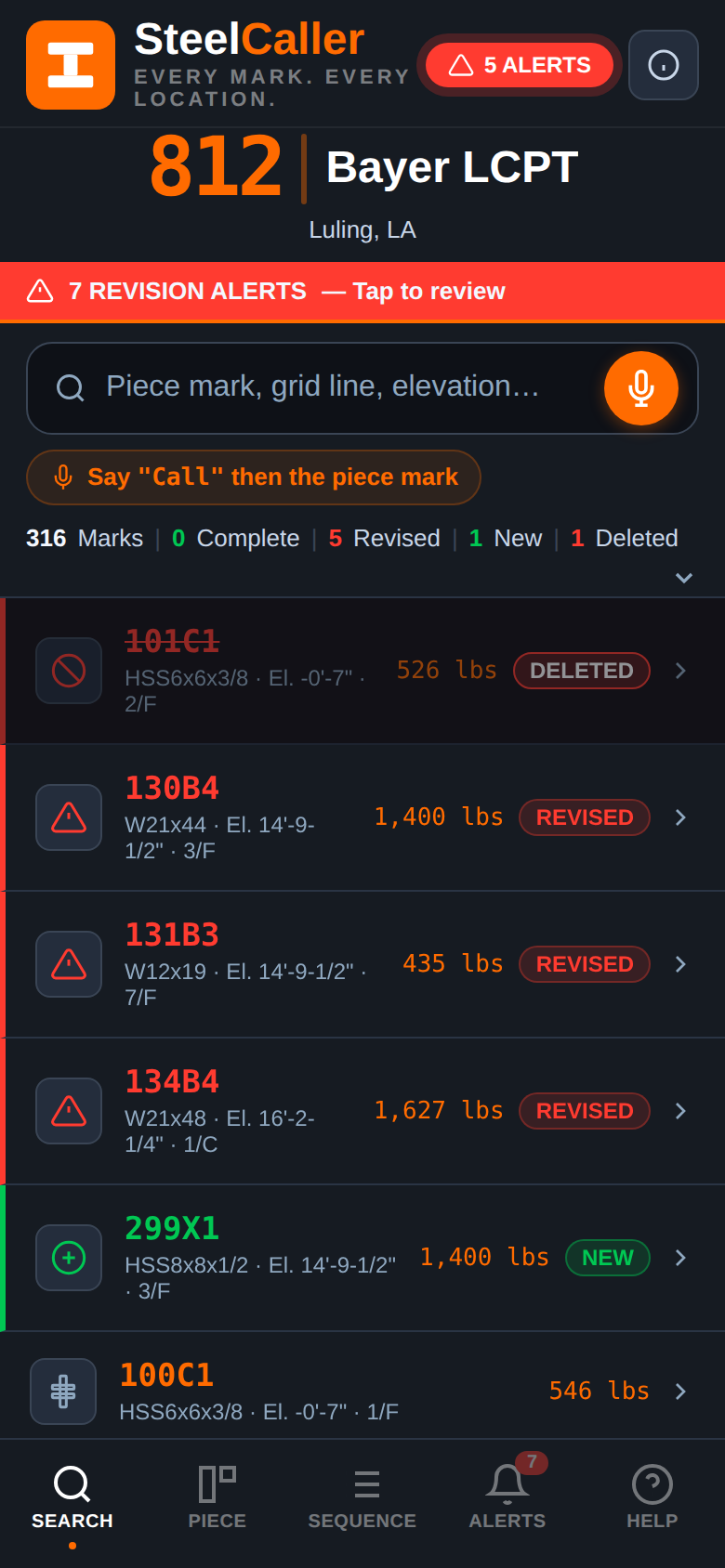
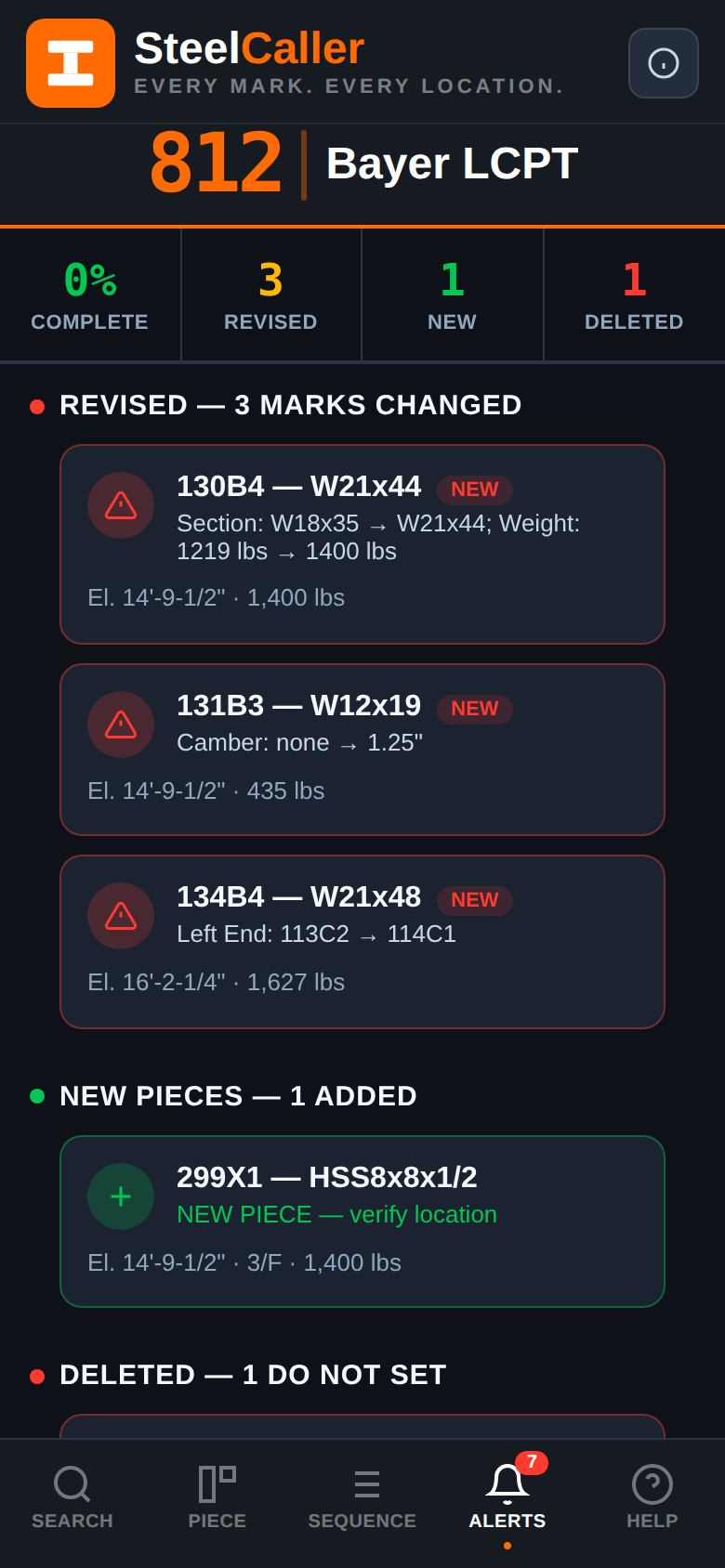
When you upload a revised model, SteelCaller automatically compares it to the previous version and flags every changed piece with a red REVISED banner showing exactly what changed. No guessing.
Full Bolt Specifications
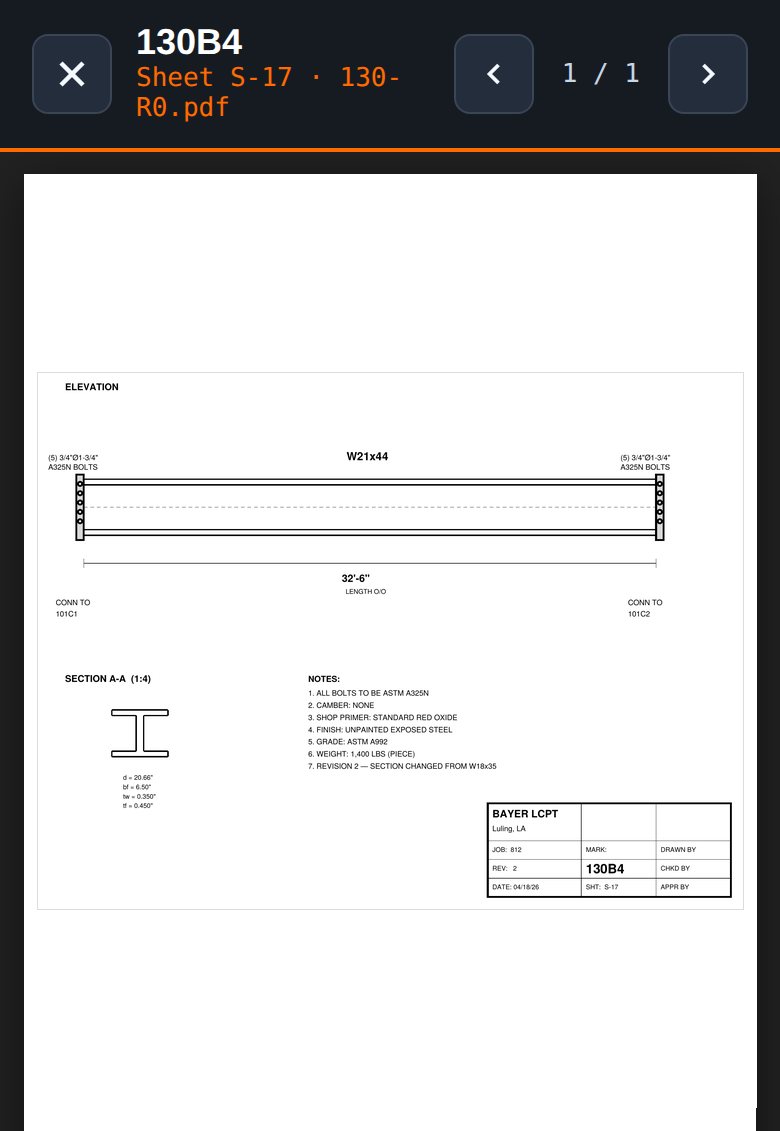
Every connection end shows the exact bolt count, diameter, length, grade, and washer requirement — pulled from your KSS file and verified against your NC1 hole counts. Left end and right end shown separately.
Accurate Crane Pick Weight
Full assembly weight calculated from dimensions — main member plus every shop-welded plate, angle, clip, and stud. Not just the bare section weight. Calculated from your actual model data, not estimated.
English & Spanish
The entire app — every label, button, and AI voice readout — is available in English and Spanish. One tap to switch. Settings saved per phone so each crew member gets their preferred language every time.
Live Progress Tracking
The field crew marks pieces Complete as they go. The superintendent and GC see the erection sequence progress in real time — what's done, what's pending, what's been revised. No more radio calls asking for counts.

The App Talks.You Listen.

Ironworkers don't have time to type. They have gloves on. They're on the iron. SteelCaller's voice system handles everything so they never have to look at the screen.

Adjust speed, pitch, and volume to match job site conditions
Choose from male or female voices installed on the device
Preview any voice before selecting — tap play next to each option
Settings saved per phone — each crew member keeps their preference
Voice Commands
"Call 52B1"
Reads full piece — section, elevation, bolts, warnings
"Call 52B1 complete"
Marks the piece set and bolted — no screen needed
"Call siguiente"
Next piece in sequence — in Spanish
"Call repeat"
Replays the last piece readout
Also works in Spanish: "Call 52B1 completo" · "Trace repetir"

Simple.Transparent.

No per-seat fees. No mark limits. No hidden charges. The fabricator pays once — the field crew accesses for free.

Per Project
$249/project
Pay once per project. No subscription required. Perfect for shops that need it for a specific job.
Unlimited piece marks — no limits on project size
3 revisions included — upload updated files as the model changes
90-day live access — link stays active for the whole job
Shareable link — no login required for field crew
Voice lookup · bilingual EN/ES · bolt specs · weights · revision alerts
Get Started — $249

The fabricator pays — field crew accesses for free. No per-seat fees. No contracts. Cancel anytime.

Why fabricators use SteelCaller
3min
Average time from file upload to live field app
0
Logins required for field crew to access their project
90days
Live app access from a single upload — covers most erection schedules
EN+ES
Full bilingual support — English and Spanish throughout the entire app

Ready to Give YourField Crew the Edge?

Upload your first project in under 5 minutes. No contracts, no IT setup, no training sessions.
Just upload, share, and let your crew find the iron.